

Odoo business applications

Run Projects, Field Work and Customer Service in Odoo

Service businesses lose money in the gaps: the order that never became a project, the hour nobody booked, the ticket that was never invoiced. This page shows how we close those gaps in Odoo, and what project profitability looks like when the data is real.

  • Projects
  • Timesheets
  • Helpdesk
  • Planning
  • Portals
  • Profitability

Reviewed by Atul Makwana, CEO & Co-Founder, Heliconia Solutions · Odoo 16 Functional Certification · Odoo Partner · Updated

Proof

Project and timesheet profitability in productionHelpdesk and support portalsApproval chains with audit trailsCommunity + EnterpriseRecurring services automated

Clients

Businesses that run on what we built

  • Opsio
  • Mevalon Produkte
  • TIMmunity GmbH
  • Aria Jewellers
  • Freiburger Bund
  • Jo Ann's
  • LittleQ

The short answer

What Does Odoo Service Management Cover?

It covers how sold work gets delivered and paid for: the hand-off from a sales order to a project, planning and capacity, timesheets and expenses, field dispatch, helpdesk and SLAs, appointments, and the invoicing that follows. Done well, you can see profitability per project and per customer from the same records your team already fills in. Done badly, you have a task list and a separate spreadsheet of hours.

The test of a service implementation is not whether projects exist in the system. It is whether an hour booked on Tuesday shows up in the customer's invoice, the project margin and the payroll cost without anyone re-keying it.

That's why this family sits between sales and finance rather than beside them, and why the sections below follow the work rather than the apps.

The connected workflow

How Delivered Work Runs Through Odoo

From the signed order to the invoice and the margin behind it. Each step names the app that carries it, or the custom work when the standard flow does not fit.

  1. Step 01

    Sales to project

    A confirmed order creates the project and its tasks, with the sold hours attached, so delivery starts from what was actually agreed rather than a forwarded email.

    • Sales, Project
  2. Step 02

    Planning and capacity

    Who is available, for how long, with which skills. Shifts and assignments made against real capacity instead of optimism.

    • Planning
  3. Step 03

    Time capture

    Timesheets booked against tasks by the people doing the work, on the web or a phone, with locking and rounding rules that make the data trustworthy.

    • Timesheets + custom rules
  4. Step 04

    Field dispatch

    Work orders scheduled and sent to the person on site, with the parts, the checklist and the customer sign-off captured where the job happens.

    • Field Service
  5. Step 05

    Helpdesk and SLA

    Tickets from email, portal or phone, routed to teams, tracked against response and resolution targets, and linked to the customer and contract behind them.

    • Helpdesk
  6. Step 06

    Customer portal

    Clients see progress, documents, tickets and approvals without emailing an account manager, which is usually where service teams lose the most time.

    • Portal + custom
  7. Step 07

    Invoicing

    Time and materials, fixed price, milestones or recurring retainers, invoiced from the delivery records so billing matches what was actually done.

    • Sales, Accounting
  8. Step 08

    Profitability

    Revenue against real cost per project, per customer and per person, which is the number a services business is actually run on.

    • Analytic + custom reports

The step teams underestimate is time capture. If the hours are late, incomplete or invented at month-end, everything downstream (billing, margin, capacity) is fiction, however good the reports look.

Grouped by job

What We Build for Service Operations

Each item is from a system in production, with the client named.

  • Profitability you can act on

    Opsio runs Timesheet Profitability and Project Profitability modules on Odoo 18 Enterprise, so margin per project and per engineer comes from the same records the team fills in daily.

    • Project margin
    • Per-person cost
    • Analytic reporting
  • Timesheet data you can trust

    Automated timesheet locking and rounding rules, built for Opsio, stop retrospective edits and half-remembered hours from quietly rewriting last month.

    • Locking
    • Rounding
    • Portal timesheets
  • Recurring service delivery

    Project recurrence, subscription and contract management, and recurring purchase orders, so a managed-services business does not recreate the same work every month by hand.

    • Retainers
    • Recurring POs
    • Contracts
  • Helpdesk and support portals

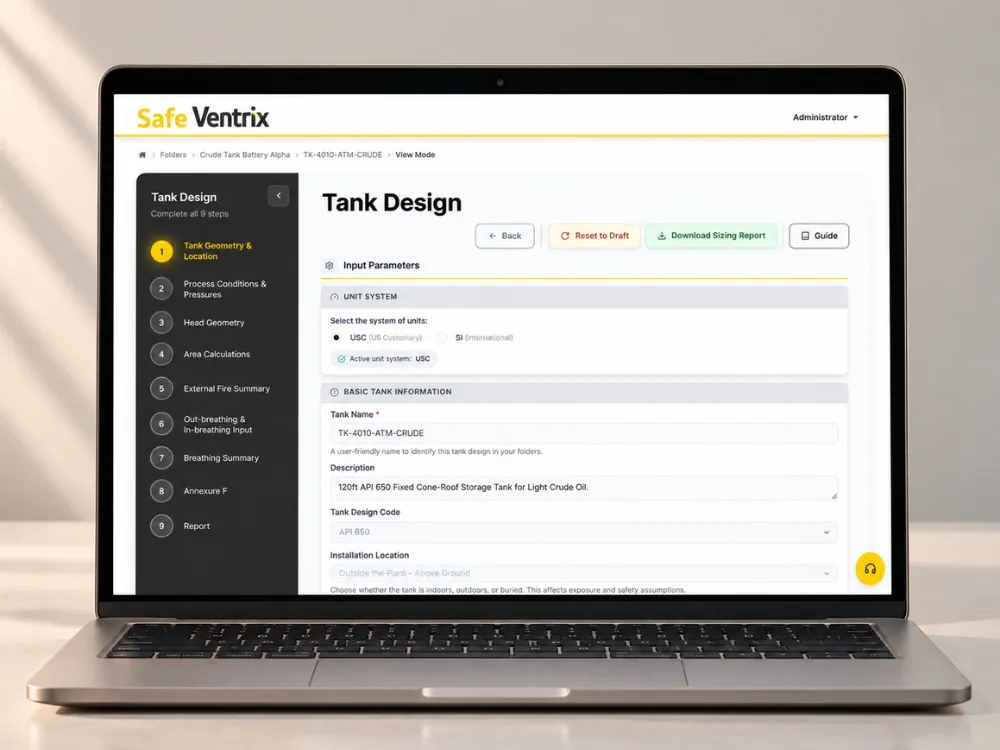
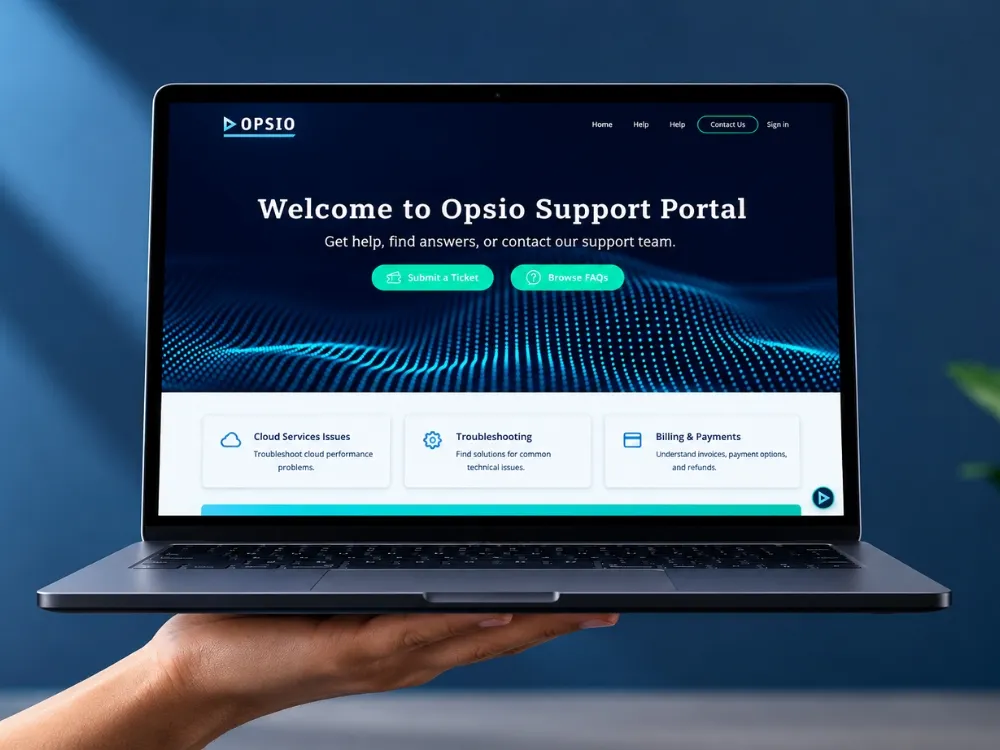
    Opsio runs customised helpdesk workflows with a support portal and portal extensions. Keypear gives its engineering clients support ticketing inside the same portal they use for their work.

    • Ticket routing
    • Support portal
    • Customer visibility
  • Approval chains with an audit trail

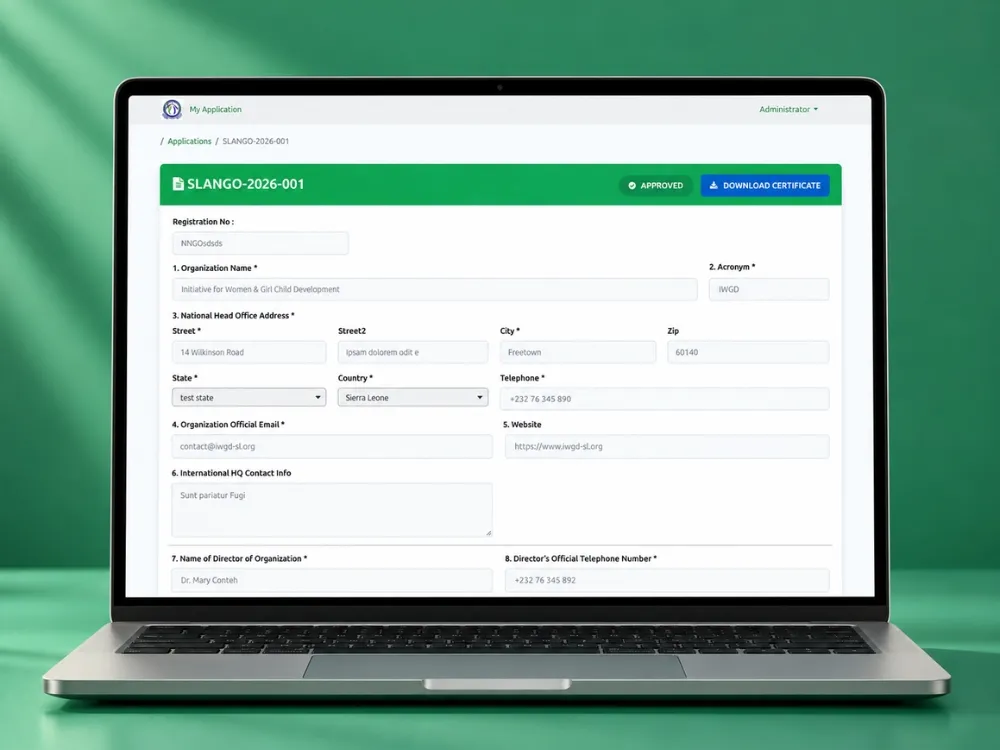
    Slango runs an Admin, Finance, Director and Chairman approval chain with payment verification, automated notifications and Chatter-based audit history on Odoo 19 Community.

    • Multi-level approval
    • Audit trail
    • Notifications
  • Dashboards for the people running the day

    Opsio has service-delivery and task-workload dashboards built around how its managers actually allocate work, not the generic views that ship with the apps.

    • Workload
    • Delivery view
    • Cash-flow reporting

The honest three columns

Standard, Configuration or Custom Engineering?

Service management is well covered by standard apps. The custom work clusters in two places: making time data trustworthy, and showing clients what they want to see.

Standard, Configuration or Custom Engineering?
RequirementStandard OdooConfiguration or OCACustom engineering (and why)
Projects and tasksYes, fullyStages, task types, templates, analytic accountsRarely, beyond fields your delivery process needs
TimesheetsYes, web and mobileApproval, validation, remindersLocking, rounding and rules that make hours auditable, as built for Opsio
Recurring work and retainersSubscriptions on EnterprisePlans, renewal remindersProject recurrence and recurring purchase orders when delivery, not just billing, repeats
Helpdesk and SLAEnterprise Helpdesk appTeams, stages, SLA policies, email aliasesOn Community, or when routing and escalation follow contract terms
Field serviceEnterprise Field Service appWorksheets, products, schedulingOffline capture and device-specific workflows for crews without signal
Customer portalStandard portal viewsPortal access, document sharingPortals that are the product, as at Keypear and Slango: approvals, verification, generated reports
Profitability reportingAnalytic accounting and basic reportsAnalytic plans, cost rates per employeeThe margin view your managers actually use, as built for Opsio

If a service requirement needs code, it is usually to make the data honest or to give a client a view they will use without training. Both are worth paying for. Rebuilding Projects is not.

Edition and OCA

Community, Enterprise or OCA for Service Management?

This family has more Enterprise-only apps than most, so the edition decision is worth making deliberately.

Community, Enterprise or OCA for Service Management?
CapabilityCommunityEnterpriseNotes
Project and tasksYesYesCore in both
TimesheetsYesYesIn both. The trust rules are custom either way
HelpdeskOCA or customYesEnterprise app. Slango and Keypear run portal-based request flows on Community
Field ServiceOCA or customYesEnterprise app
Planning and shift scheduling–NoYesEnterprise app
AppointmentsOCA or customYesEnterprise app
Subscriptions and recurring billingOCA or customYesEnterprise app, and we have built the lifecycle on Community
Analytic accounting for marginYesYesAvailable in both. The reporting layer is where the work is

Helpdesk, Field Service, Planning and Appointments are the four Enterprise apps that usually decide this family. If your service delivery runs through a customer portal rather than internal apps, Community plus a custom portal is a serious option, and we have shipped it twice.

Data and boundaries

What We Migrate, and Where the System Ends

  • Customers, contracts and service agreements, with the billing terms that decide how delivery is invoiced
  • Open projects and tasks with their owners, stages and remaining work, so nothing in flight is lost at cutover
  • Unbilled time and expenses, reconciled with finance before go-live rather than discovered afterwards
  • Open tickets with their history, because a support conversation that restarts is a support conversation you lose
  • Employee cost rates and capacity, which are what turn hours into margin
  • Integration boundary named: the monitoring tool, the phone system, the calendar, the signature service
  • What stays outside: anything your clients are contractually required to use, and tools your team genuinely prefers

How we run it

The Implementation Sequence

  1. Workflow discovery

    We follow one sold job from order to invoice with the people who deliver it: who schedules, who books time, who talks to the client, who chases the bill.

  2. Design decisions

    Project structure, analytic model, cost rates, invoicing policy per contract type, SLA definitions and what the customer portal exposes. Written down with the reasoning.

  3. Make time capture work first

    Timesheets before dashboards, always. If the hours are not trustworthy, every report built on them is decoration.

  4. Configuration and build

    Standard apps configured, OCA where it fits, then custom modules for locking rules, portals, recurrence and the margin views your managers will actually open.

  5. Run one delivery cycle in the system

    A real project delivered end to end, including an awkward one: scope change, partial invoice, an escalated ticket.

  6. Go-live and the first month-end

    Cutover with a rollback path, then close support through the first billing run and the first profitability review, until the numbers are trusted.

Evidence

Service Operations We Run in Production

Only projects where the service workflow described above is actually in place.

Service Operations We Run in Production
ProjectIndustryOdooKey capabilitiesTechnology
OpsioCloud managed servicesOdoo 18 EnterpriseCash Flow Forecast Report · Working Capital Report · Timesheet Profitability · Project ProfitabilityOdoo 18 Enterprise · Python · PostgreSQL · JavaScript · REST APIs
Kaypear EngineeringProcess safety & engineering consultingOdooKaypear Base (Tank Design Models) · Kaypear Portal ThemeOdoo · Python · PostgreSQL · JavaScript · QWeb / XML
SLANGOCivil society: national NGO umbrella bodyOdoo 19 CommunityRegistration Portal · Registration Portal ThemeOdoo 19 Community · Python · PostgreSQL
iDT LabsICT consulting & software: HRIS SaaSOdoo 9 CommunityHRIS SaaS Management · Employee Management · Attendance Management · Leave ManagementOdoo 9 Community · Python · PostgreSQL

Read the projects

Three Service Businesses, Three Systems

A managed-services provider running projects, timesheets, helpdesk and profitability, an engineering portal with staged approvals, and an association that replaced paper approvals entirely.

All case studies

Workflow review

Request a Service Workflow Review

Send us how you sell and deliver work: contract types, how time is captured today, whether you run a helpdesk or field crews, and what clients can see. You get the workflow mapped to Odoo, the decisions that matter, and what we would configure versus build. No obligation.

  • Order-to-invoice path mapped to Odoo apps, with the gaps named
  • Time-capture approach that your team will actually keep up with
  • Project and analytic structure for the margin reporting you want
  • Helpdesk, field service or portal recommendation, with the edition that follows
  • Migration plan for open projects, unbilled time and live tickets

Request the review

What clients say

In Their Words

Questions

Odoo Service Management Questions, Answered Directly

Atul Makwana

CEO & Co-Founder, Heliconia Solutions

Not answered here? Ask Atul directly, the person who reviewed this page, not a sales queue. Odoo 16 Functional Certification.

Ask a question

Can Odoo show real project profitability?

Yes, once cost rates and the analytic structure are set up properly, because the hours and the costs come from the same system as the invoices. Opsio runs timesheet and project profitability reporting on Odoo 18 Enterprise for exactly this reason.

The honest caveat: the reports are only as good as the timesheets, which is why we make time capture work before we build the dashboards.

Read the managed-services project

Do we need Odoo Enterprise for helpdesk and field service?

Helpdesk, Field Service, Planning and Appointments are Enterprise apps, so for a conventional internal setup, yes. Projects and Timesheets are in both editions.

If your service delivery runs through a client-facing portal rather than internal ticket queues, Community plus a custom portal is a real alternative. Slango and Keypear both run request, approval and support flows that way.

Community vs Enterprise

How do we stop timesheets from being filled in at the end of the month?

Make it quick, make it visible and close the window. We build locking and rounding rules so periods close on schedule, add portal and mobile entry so booking takes seconds, and put the gap in front of managers weekly rather than at month-end.

Those three together are what changed the data quality at Opsio.

Can customers see their projects and tickets?

Yes, and how far you take it is a design decision. Standard portal access shows projects, tasks, tickets and invoices. Both Keypear and Slango went further: the portal is where clients submit work, track approvals and collect generated documents.

A good portal removes more internal work than any internal feature we could build.

Does Odoo handle recurring services and retainers?

Yes. Subscriptions cover recurring billing on Enterprise, and where the delivery repeats as well as the invoice we build project recurrence and recurring purchase orders, as we did for Opsio.

The design question is whether a retainer creates work each period, bills each period, or both.

The revenue side

Can field engineers work without a signal?

Partly, and this is worth being precise about. The Enterprise field-service and POS-style apps handle intermittent connectivity better than the standard web client, but a genuinely offline workflow is usually a mobile application talking to Odoo over an API.

We build those as well, so the answer depends on how often your crews are actually out of coverage.

Mobile application development

How does service management connect to HR and finance?

Through the employee record and the analytic account. Hours booked against a task carry the person’s cost rate into project margin, and the same records feed invoicing and the ledger. That is the whole argument for keeping service delivery in the ERP rather than a standalone tool.

Odoo HR and payroll

The rest of the chain

This Department Does Not Run Alone

Odoo earns its place at the hand-offs between departments, not inside any one of them. These are the families this one exchanges data with every day.

Next step

Find Out Where the Margin Is Leaking

Tell us how you sell and deliver work today, how time gets captured, and what your clients can see. We will map it to Odoo and show you which parts are configuration and which are engineering.